
Why am I stuck in Activation/Password Reset?
If you’re stuck during activation or password reset, don’t worry. Here are a few quick steps that usually resolve the issue.
1. Your Account May Already Be Activated
In many cases, your account is already active.
Try this:
-
Open the Convo Now app (download again if needed: Android | iOS),
or -
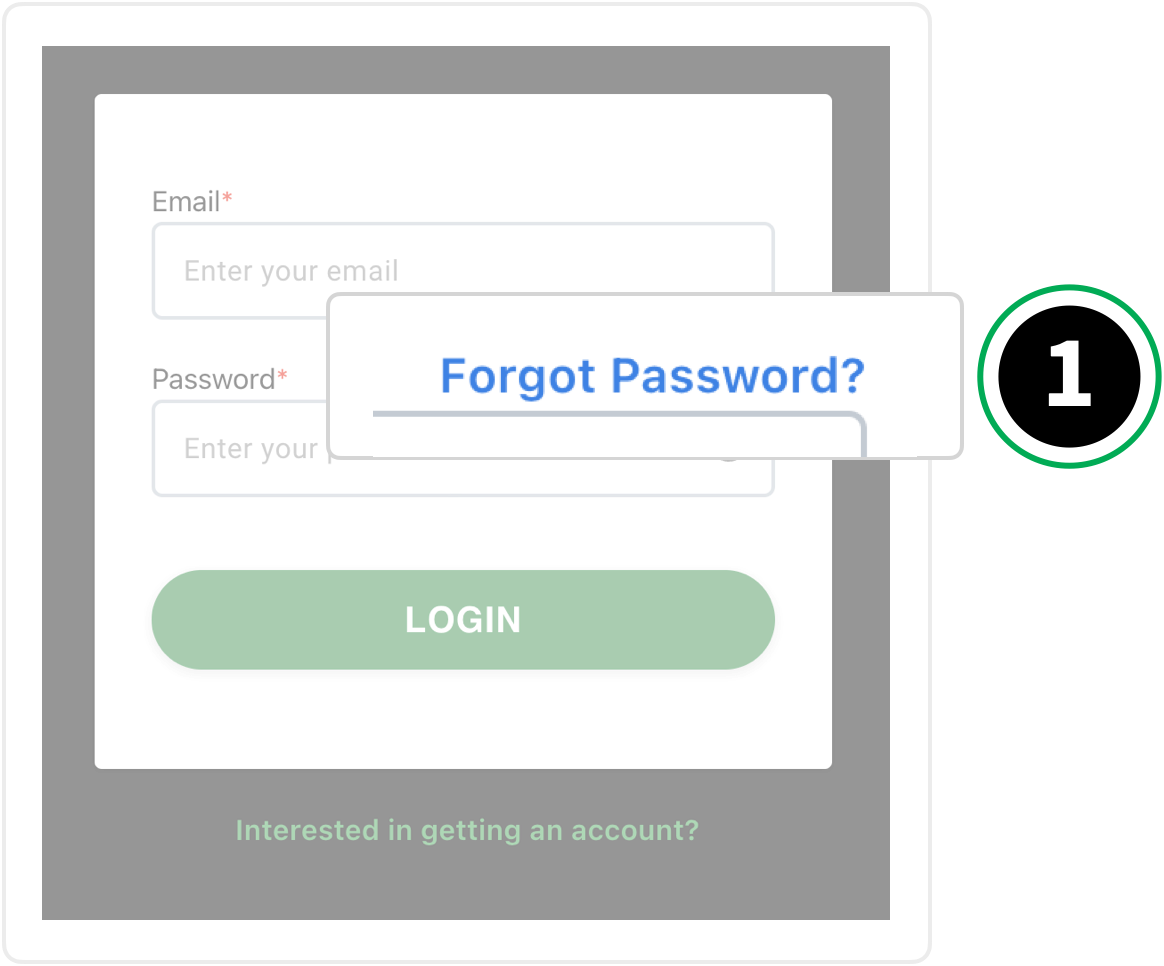
Visit the Convo Now login page.
Click “Forgot Password?” and follow the steps to reset your password.
You’ll receive a new email with instructions.
2. Make Sure You Enter Your Email Address
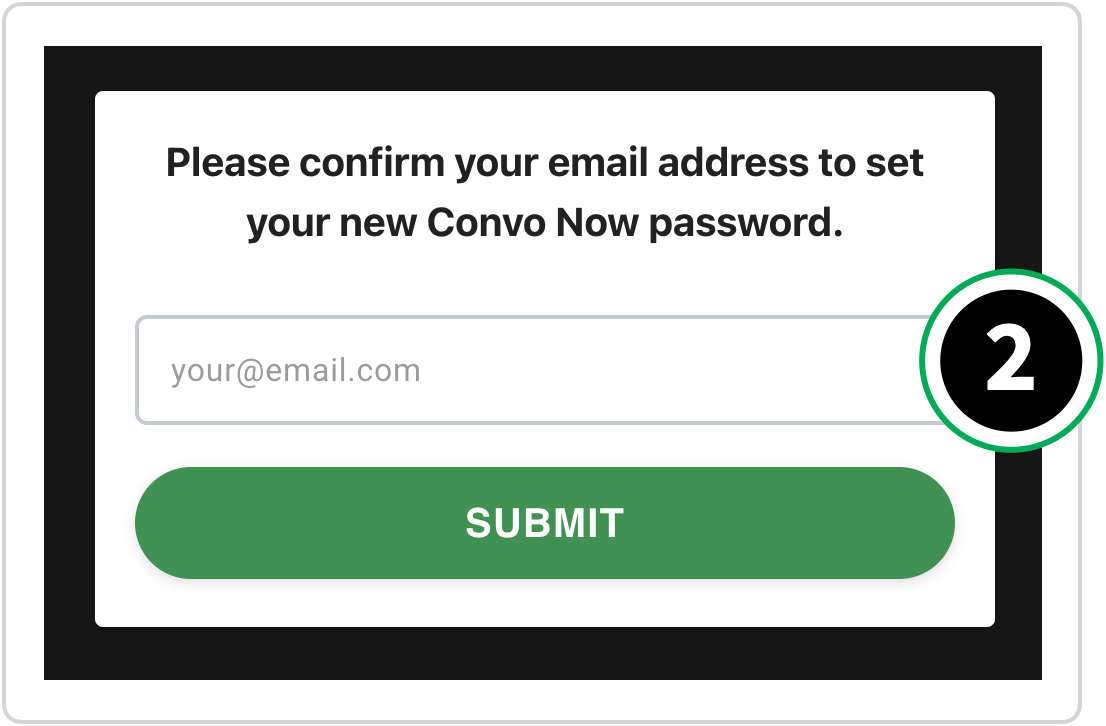
When resetting your password on the webpage, you’ll be asked to enter your email address — not your new password.
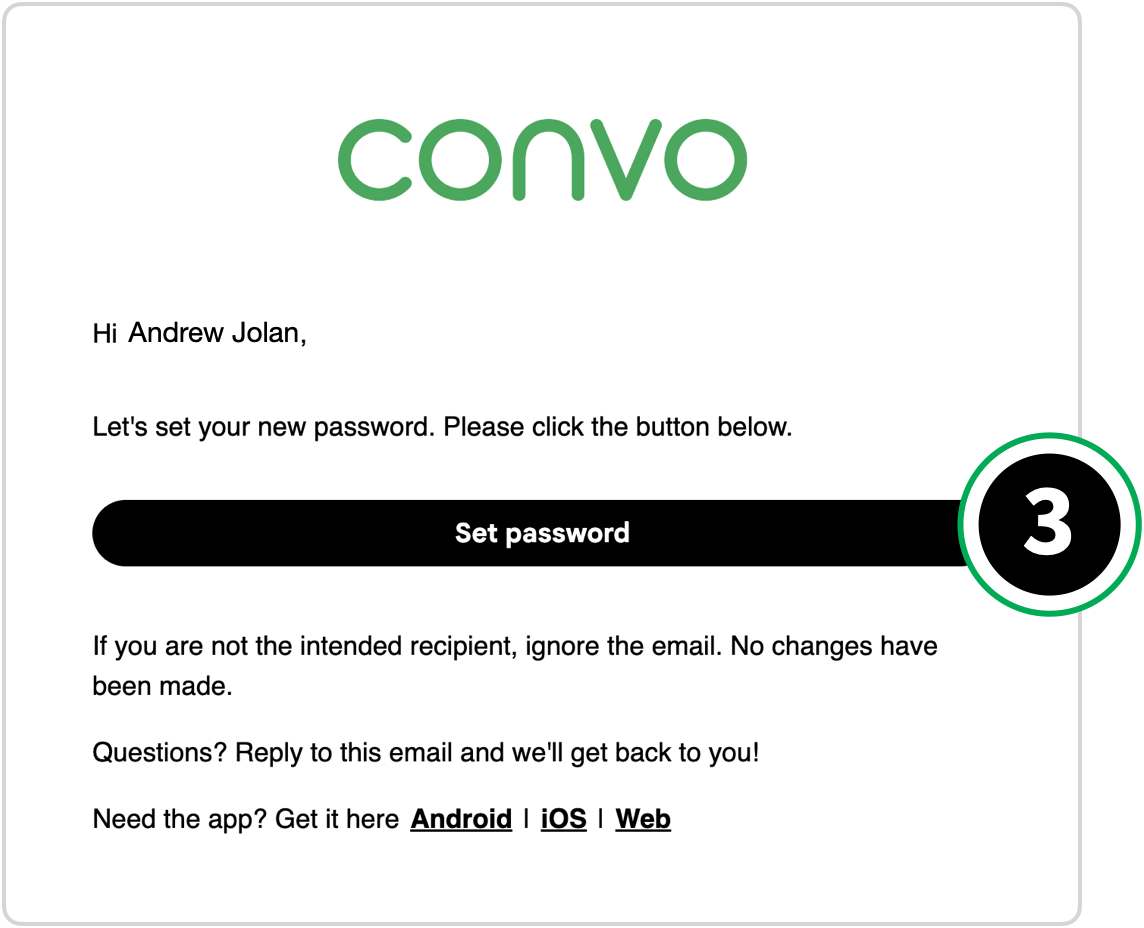
After submitting your email, you’ll receive a reset link.
3. Check Your Spam Folder
If you haven’t received an activation or password reset email, check your spam or junk folder.
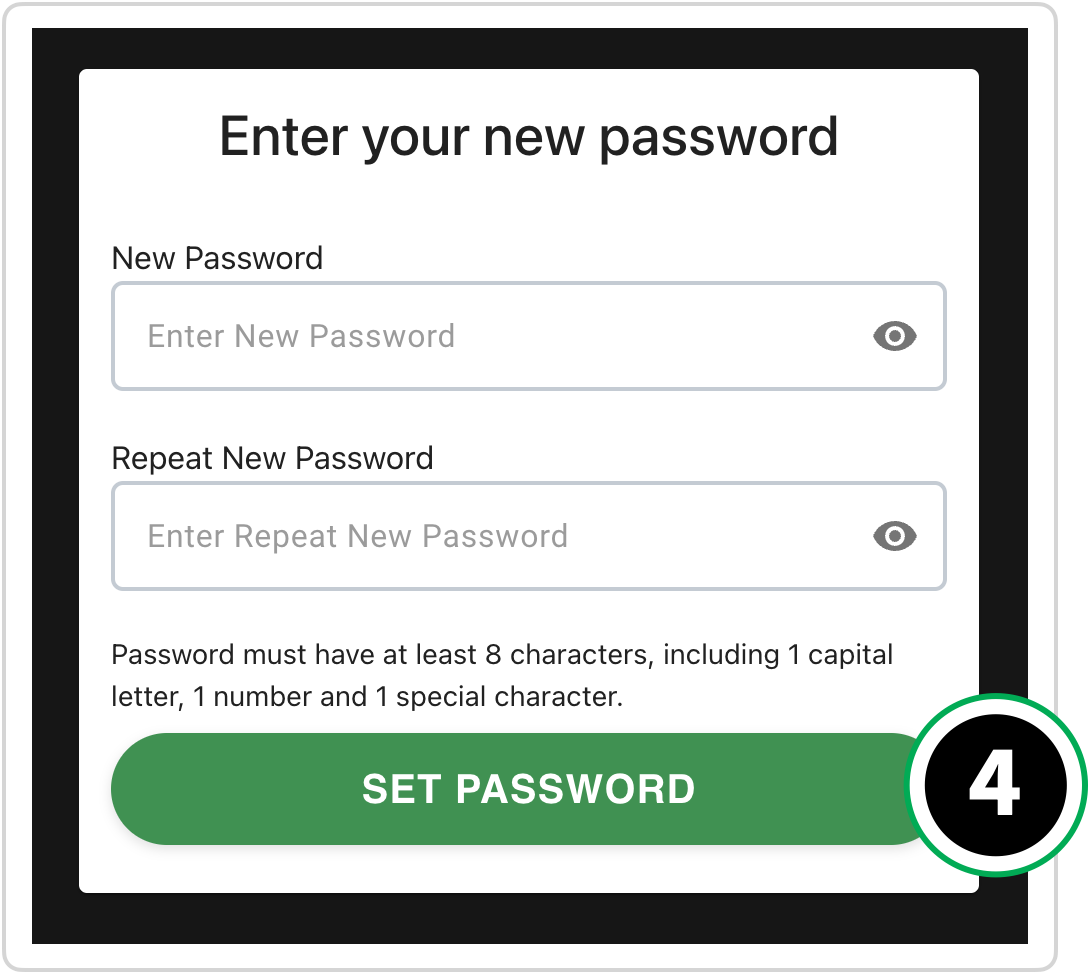
4. Make Sure Your Password Meets Requirements
Your new password must include:
-
At least 8 characters
-
One capital letter
-
One number
-
One special character
Still Having Trouble?
If the issue continues, email us at support@convorelay.com and we’ll help you move forward.