
Using Google Live Caption with ConvoLink
Want captions during a VRS call? You can use Google Chrome’s Live Caption feature to automatically generate captions while using ConvoLink.
What is Live Caption?
Live Caption is an automatic captioning feature built into Google Chrome. It can caption audio played in your browser — including calls made through ConvoLink.
Important: Live Caption is provided by Google. Convo is not responsible for caption accuracy. Live Caption is designed to complement VRS — not replace it.
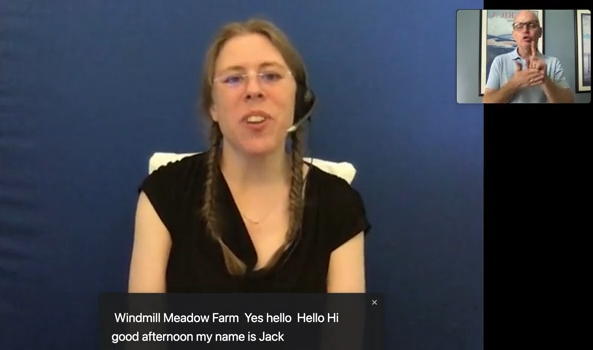
How to Turn On Live Caption in Chrome
🎥 Prefer ASL? Watch the ASL version of this guide here.
-
Open Google Chrome.
-
Go to Settings.
-
Click Accessibility.
-
Turn on Live Caption.
Once enabled, Chrome will automatically display captions for audio played in your browser — including your ConvoLink calls.
Customizing Your Captions
You can adjust caption size, font, and style in Chrome’s accessibility settings.
Visit Google’s official instructions for detailed steps on customising Live Caption.
When Should You Use This?
Live Caption can be helpful for:
-
Additional clarity during calls
-
Verifying spoken information
-
Supporting communication in complex discussions
You can even customize your Live Caption settings! Take a look at Google's how-to instructions to learn how.