
Reset your Convo Call password
It happens — and we’ve got you covered.
- Go to Convo Call (web or app)
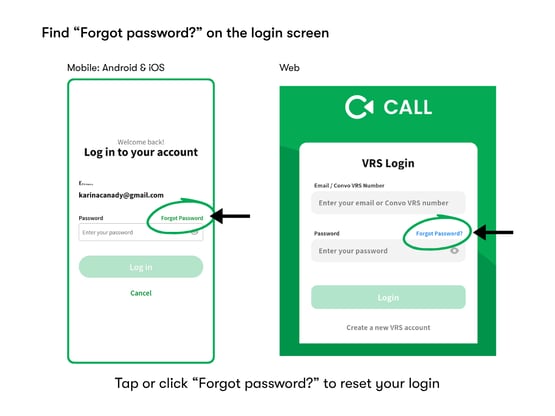
- On the login screen, click or tap “Forgot password?”
- Enter your email address
- Check your email for a password reset link
- Follow the link and create a new password
What you’ll need
- Access to the email address linked to your Convo account
- A stable internet connection
Using Convo Call on different devices
The steps are the same across all platforms:
- Mobile (Android & iOS): Tap “Forgot password?” on the login screen
- Web: Click “Forgot password?” at login
Didn’t get the email?
- Check your spam or junk folder
- Make sure you entered the correct email address
- Wait a few minutes, then try again
Still need help?
We’re here for you. 👉 Chat with Support