
Make sure your Mac is set up to alert you to incoming Convo calls — visually and with notifications.
Follow these steps and never miss a call.
There are two ways you will receive notifications:
-
Flashing green/strobe light on your Mac screen
-
Banner or alert notifications

Here's how to set it up:
Flashing green/strobe light
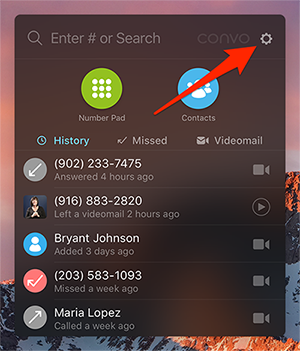
1. Don't see a flashing green/strobe light when you get a call? Log into Convo on a Mac and click on the gear icon (Settings).
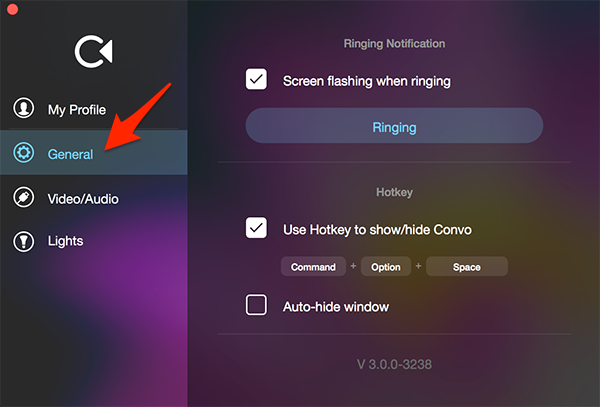
2. Click on General.
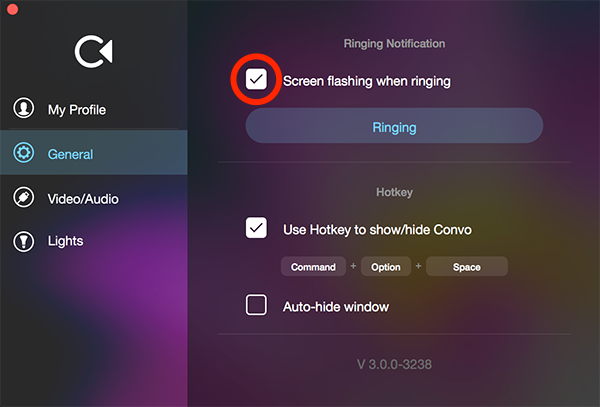
3. You'll see the Screen flashing when ringing. Make sure the box is checked.
Banner or alert notifications
To set up a banner or alert notifications on your Mac, follow the steps below:
1. Click on the Apple icon in the upper-left corner. Go to System Preferences > Notifications
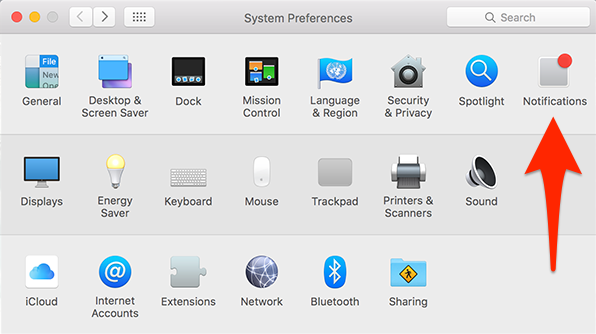
2. Click on Convo.
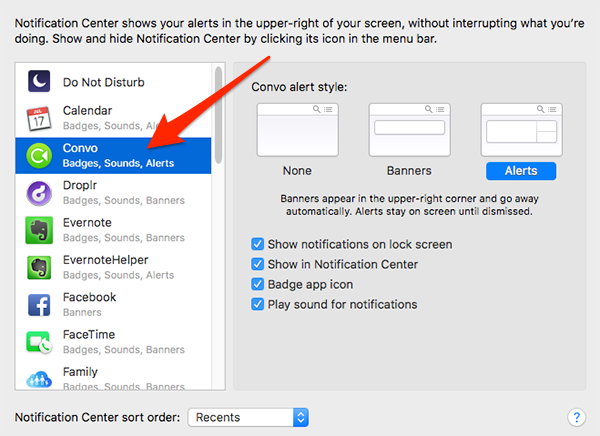
3. Click on Alert Style. Pick either Banners or Alerts
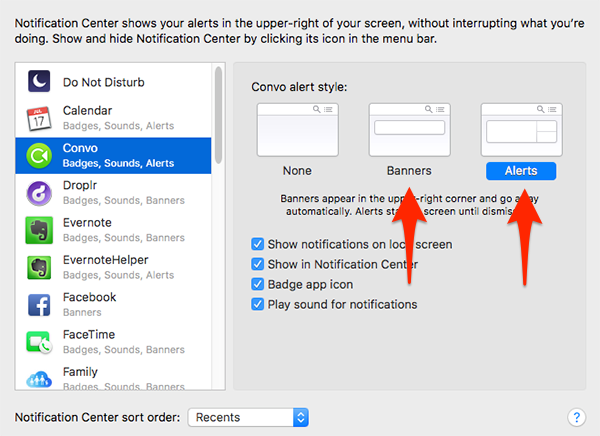
Check all options, except Play sound for notification which is optional.