
Never miss a call—forward your mobile calls to Convo in just a few steps.
Tired of missed calls? Good news! You can forward calls from your iPhone mobile number to your Convo number!
Did you know you can direct calls from your mobile number to Convo? Let us show you the easy process of setting up this feature on your iOS device. Now you’ll never miss another call with Convo.
You'll get incoming calls on any of your Convo apps, and even ConvoLink.
Get Started
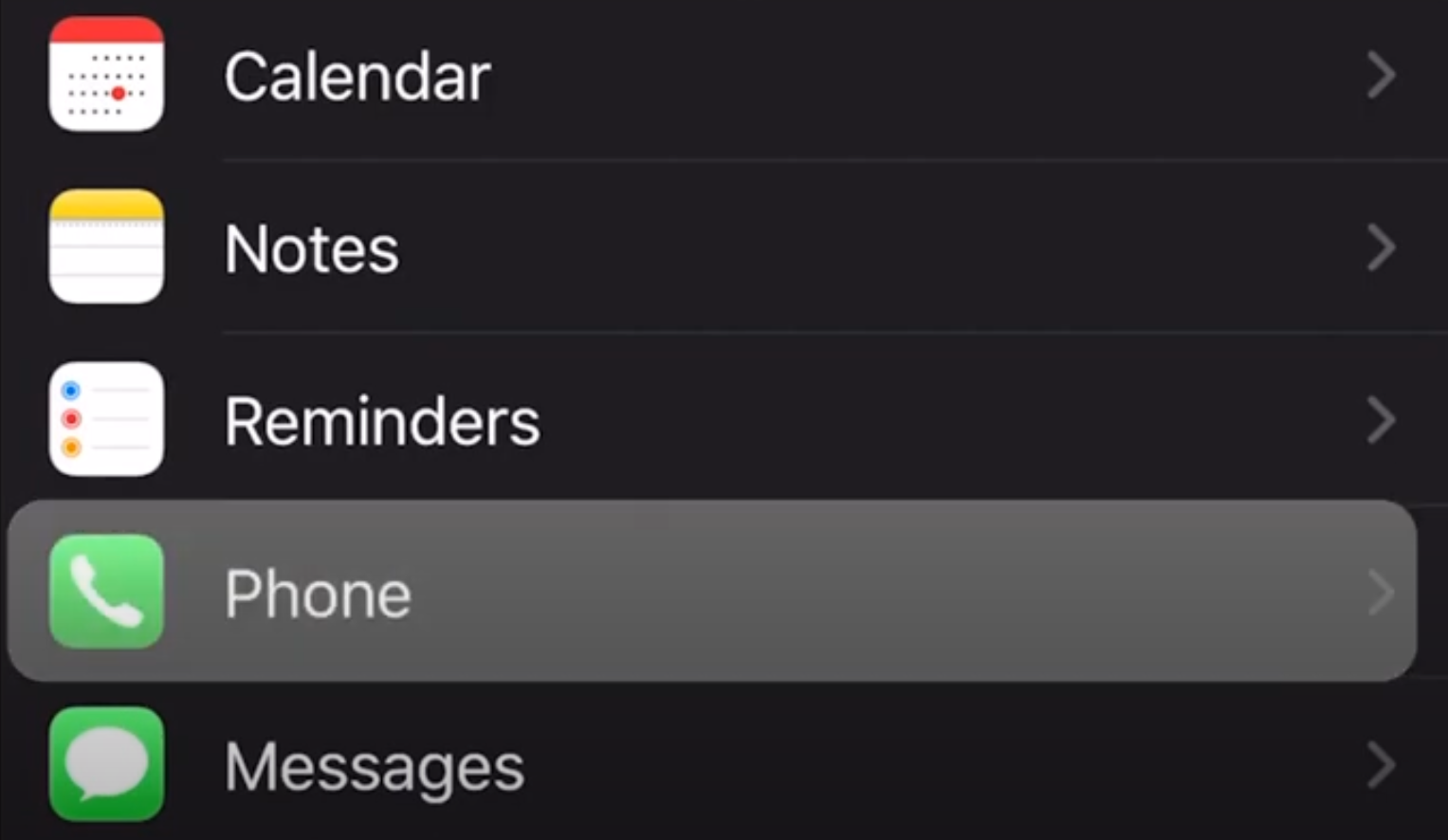
First, go to your iPhone's Settings, then click Phone:
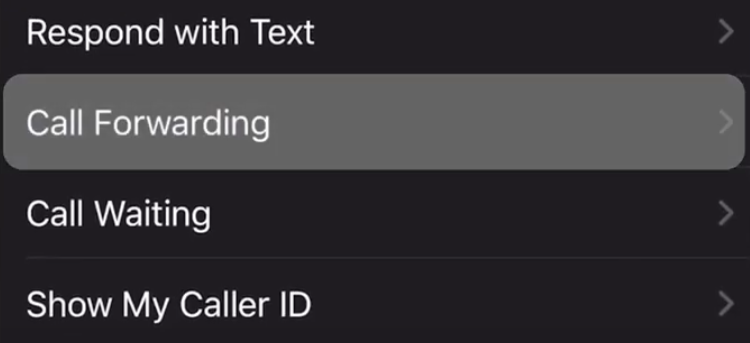
Next, click Call Forwarding:
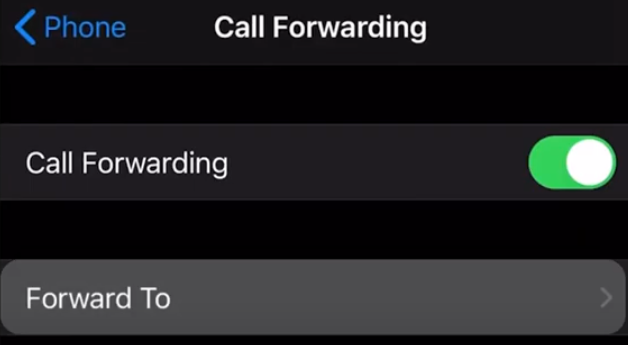
Click Forward To:
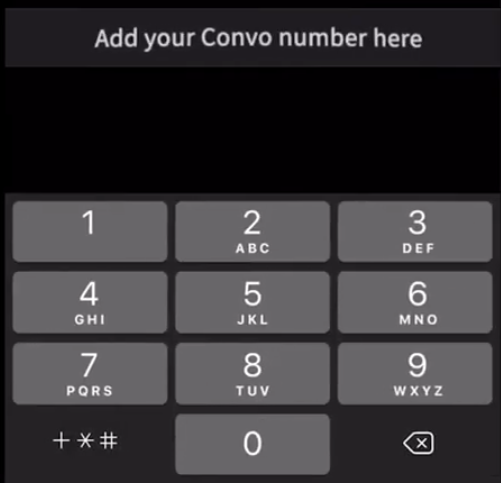
Type your Convo VRS number in the [Add your Convo number here] space shown below:
You're set!
NOTE: This feature may not be available, depending on your phone plan or service provider.
Still need help?
Chat with us via text or ASL here, or e-mail us at support@convorelay.com