
Stay connected on your browser
Convo Call lets you receive and answer calls directly from your web browser.
Call Notifications on Convo Call Web
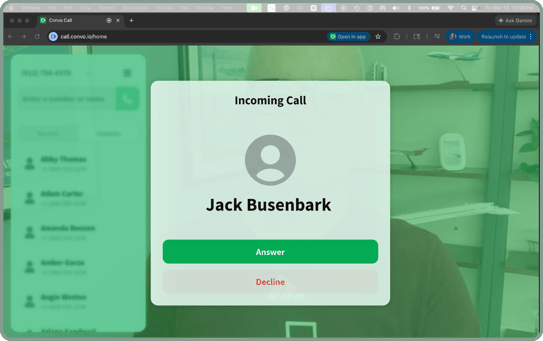
When someone calls your Convo number:
- You’ll receive a browser notification
- NEW: You’ll now see the caller’s contact name (Caller ID)
→ So you know who’s calling before you answer
✅ Improved reliability
We’ve fixed an issue that caused notifications to not work properly.
You should now get call notifications more consistently.
👉 Make sure browser notifications are enabled to receive alerts
Getting a Call on Convo Call Web
When a call comes in:
- You’ll see an incoming call on your browser
- Click Accept to answer
Missed & Cancelled Calls
Check your Recents list for call activity:
- Missed Calls
Calls that reached your browser but weren’t answered - Cancelled Calls
Calls ended by the caller before connecting to an interpreter
⚠️ Not Getting Notifications?
- Check that browser notifications are enabled
- Visit our Permissions & Notifications article for help
If you need help, chat with our Support team.